Built for technical content
Components exist for the things generic tools can’t show — execution traces, state machines, config setups, diagnose-and-fix beats.
DESIGN
CourseSmith ships a deep catalog of purpose-built scene components — code walkthroughs, diagrams, worked examples, terminal replays, comparison grids, slide layouts, and more — each designed to render the subject correctly, not decoratively. And every scene carries its own motion, background, images, voice and branding.
Every aspect
The component library is only the start. Every scene carries its own components, motion, background, cinematic imagery, voice and branding — here's the whole toolkit, captured from the real editor.
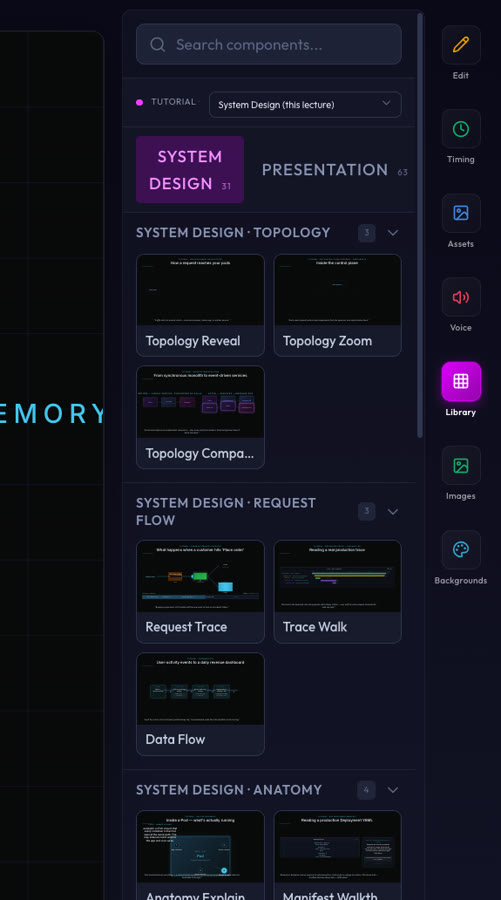
SCENE LIBRARY
Hundreds of components, grouped by subject and role — system-design topology and request-flow traces, math reveals and equation step-throughs, code walkthroughs, MathMotion animations and diagrams. Each one renders the subject correctly, and previews exactly as it will in the final video.
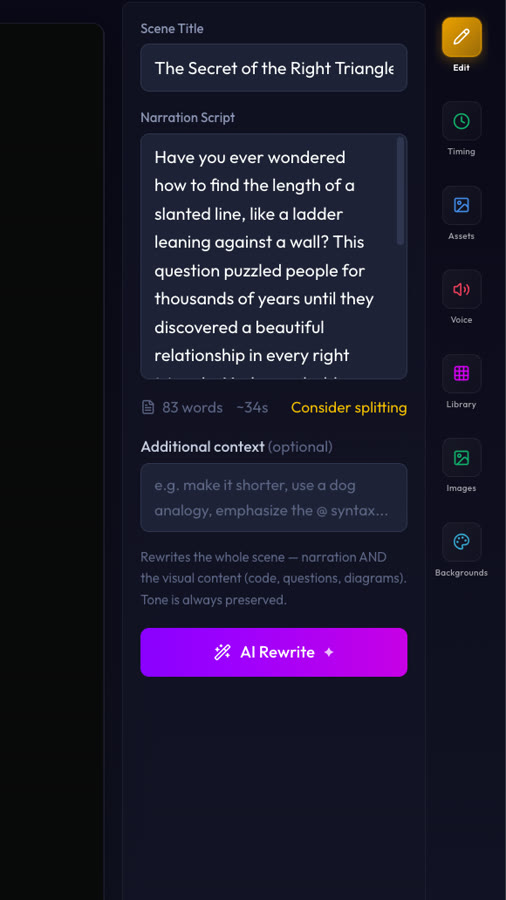
EDIT & AI REWRITE
Every scene has an editable title and narration. One “AI Rewrite” prompt rewrites the whole scene — narration AND the visual content, whether that’s code, questions or diagrams — while always preserving the tone you chose.
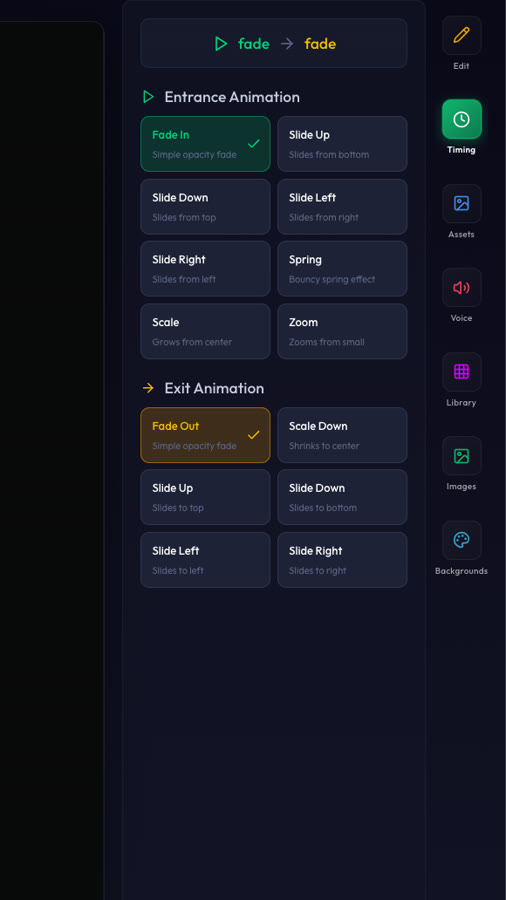
MOTION
Choose an entrance and an exit for each scene — fade, slide from any direction, spring, scale or zoom. Motion is applied by the renderer, so what you pick is exactly what plays back.
BACKGROUNDS
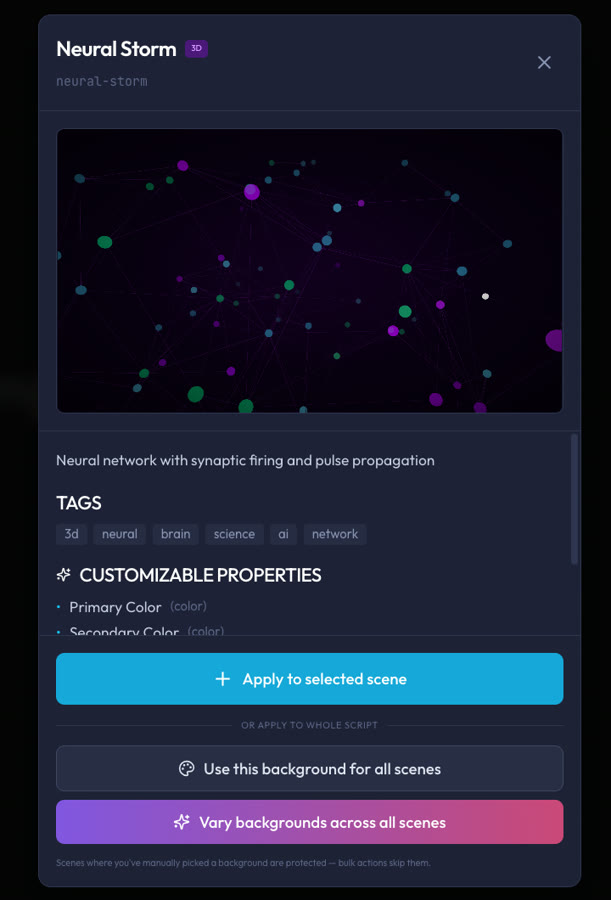
A library of deterministic animated backgrounds — like the Neural Storm 3D network — with customizable colors. Apply one to a scene, use it across the whole video, or let CourseSmith vary them scene to scene.
CINEMATIC SCENES
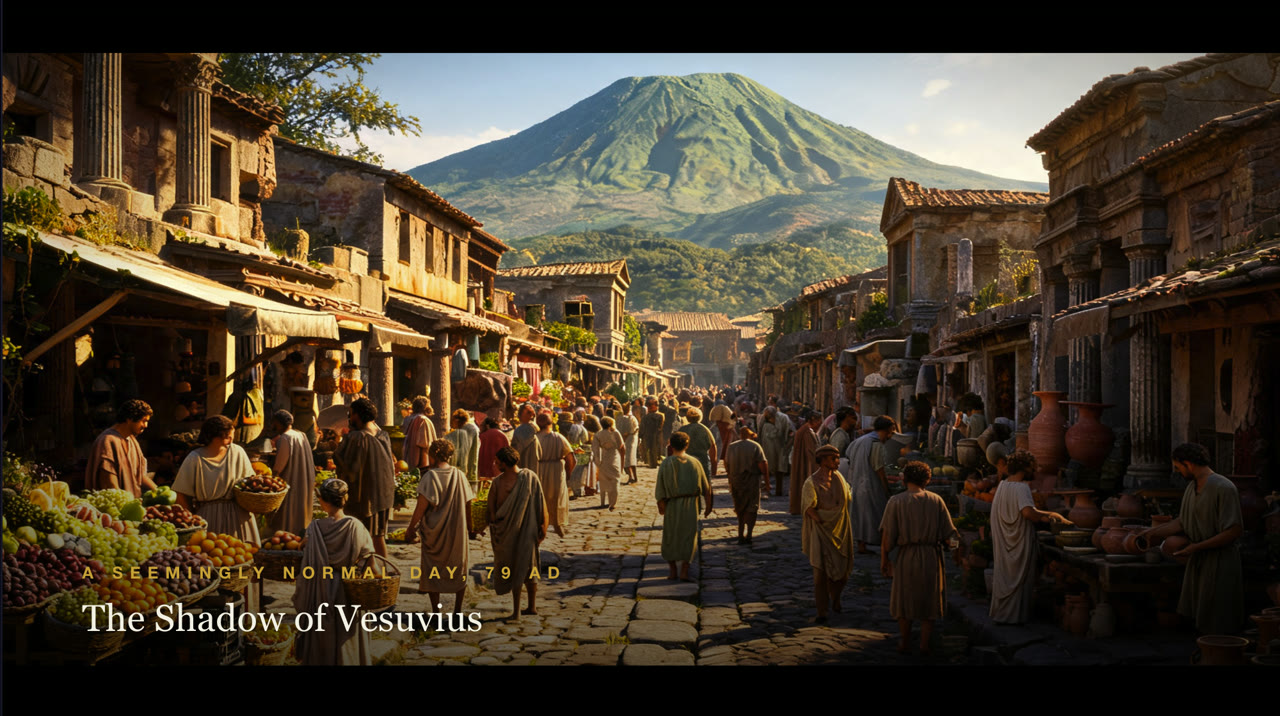
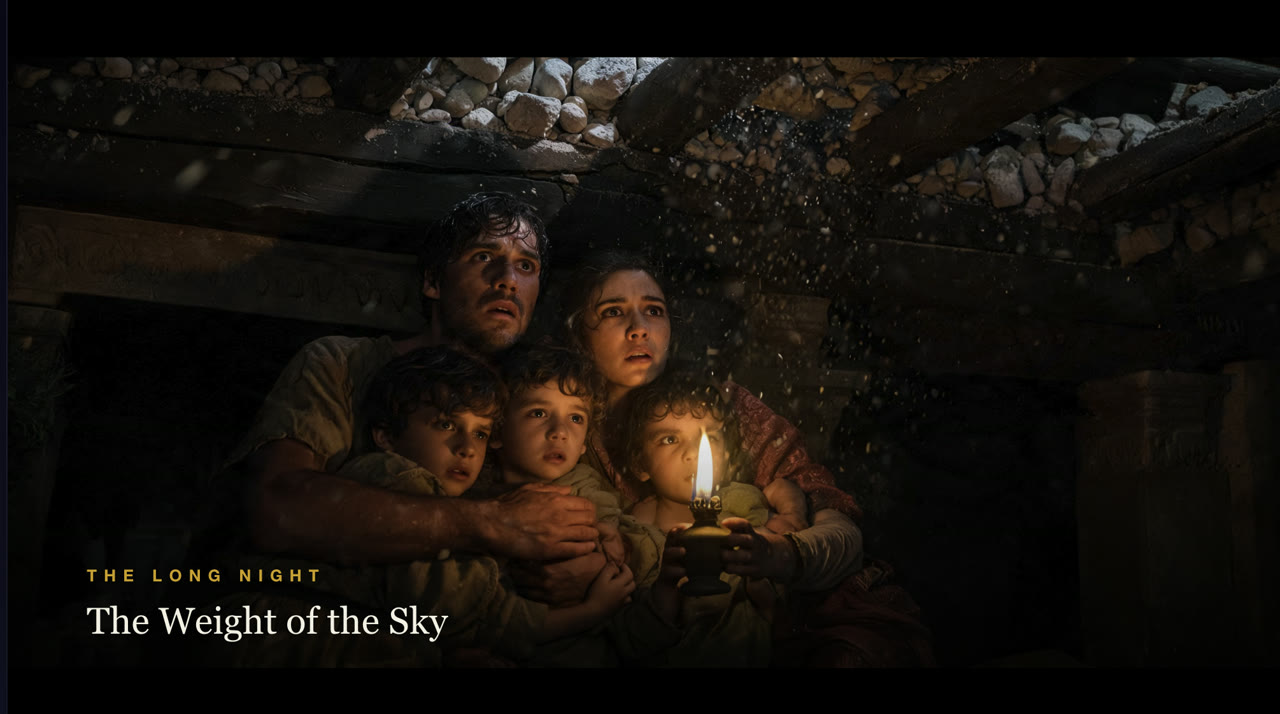
For history and other non-STEM subjects, CourseSmith renders full-bleed cinematic scenes — AI imagery with cinematic typography and motion — so a documentary on Pompeii looks like a documentary, not a slideshow.
VOICE & LANGUAGE
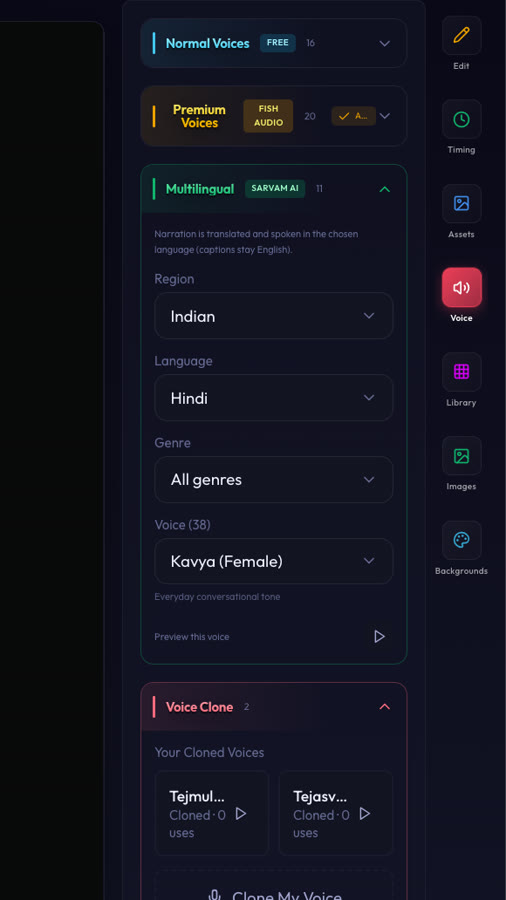
Narrate in normal or premium voices, or translate and dub into 38 languages — including Indic languages with native-speaker voices. Or clone your own voice and narrate every scene in it.
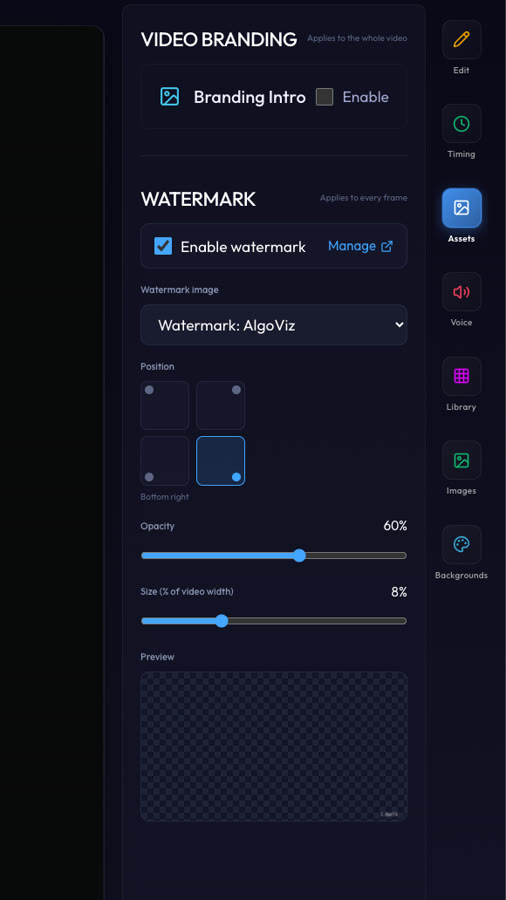
BRANDING
Add a branding intro for the whole video and a watermark on every frame — pick the image, the corner, the opacity and the size. Your course looks like yours, end to end.
What it does
Components exist for the things generic tools can’t show — execution traces, state machines, config setups, diagnose-and-fix beats.
Socratic, Tutorial, and PowerPoint families cover different teaching styles and lecture formats.
Every component previews in the library exactly as it will render in the final video.
Learn CourseSmith
More in author visually
It’s one part of a tool that carries your source all the way to a polished, finished video.